
Mini PC Platforms for Kiosks and Self-Service Terminals in Europe
Kiosks and self-service terminals combine a display, enclosure, payment or identification peripherals, and a compact computer that must operate reliably inside a limited space. Yorvix works with European kiosk manufacturers, integrators, and project teams that need to select and configure the computing platform before finalizing the enclosure.
Kiosk and terminal applications
- Retail self-service and product information terminals
- Hospitality check-in, ordering, and queue-management terminals
- Public information, ticketing, and wayfinding equipment
- Industrial access control and equipment cabinets
- Digital signage players and interactive display controllers
Hardware requirements to define first
The computer should be selected around the device interfaces and service model. A project may require several USB ports, serial communication, dual Ethernet, display output, audio, or a specific power input. The available enclosure space, cable routing, maintenance access, and expected operating environment also affect the choice.
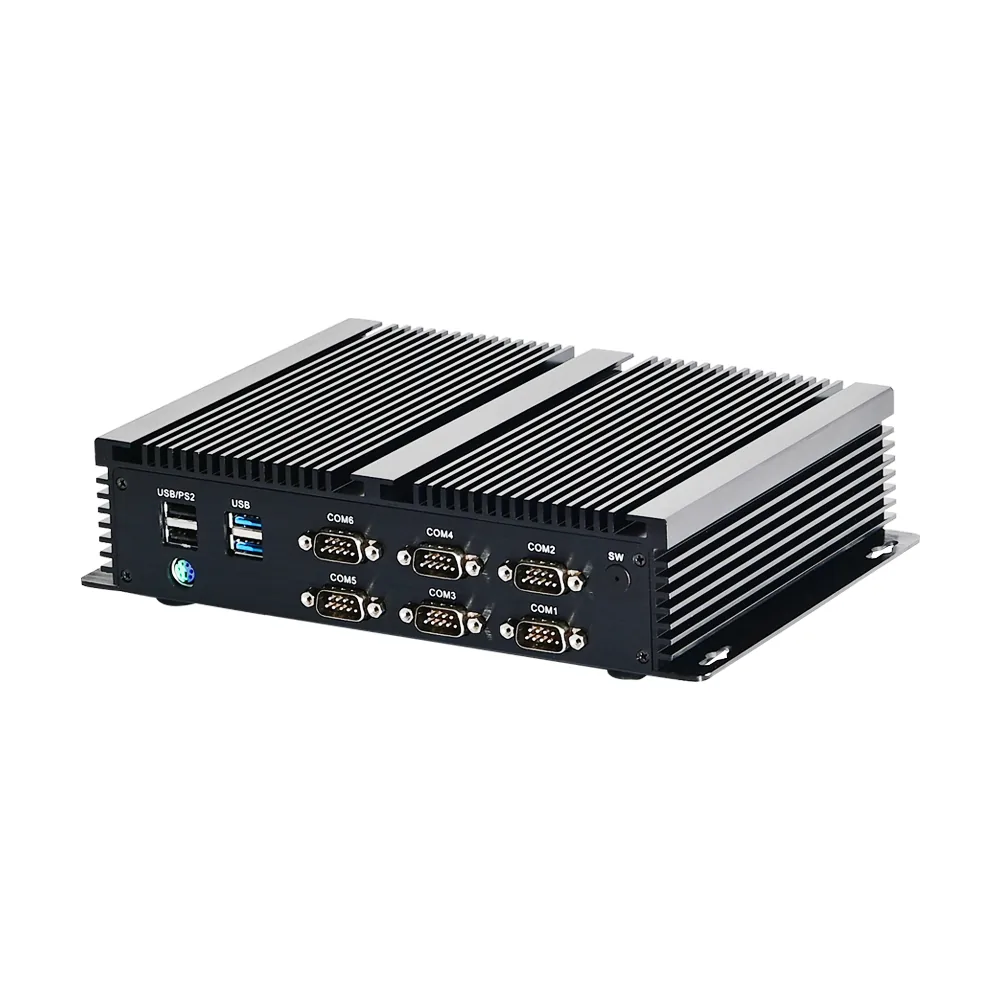
The G13 fanless Mini PC is intended for industrial control, access, and equipment projects with flexible I/O requirements. The G10 Mini PC provides a compact edge platform for smaller terminals and gate-access applications. The broader Industrial Mini PC Solutions for Europe page covers automation, control, and multi-display deployments.
Selection and integration checklist
- Processor, memory, storage, and operating-system requirements
- Required USB, serial, Ethernet, display, audio, or expansion interfaces
- Power input, ventilation, enclosure space, and mounting method
- Operating temperature, dust, vibration, and continuous-use conditions
- Startup branding, software image, and deployment settings where supported
- Existing software compatibility, drivers, and peripheral communication
Why early hardware review matters
Kiosk projects often become expensive when the computer is treated as the final component. A late change to the processor, operating system, port layout, or power input may require a new enclosure design, a different mounting bracket, or additional testing. Reviewing the hardware alongside the display, peripherals, and enclosure reduces the chance of rework and helps the project team confirm cable lengths, service access, and thermal clearance.
For multi-unit projects, the same configuration may need to be replicated across countries and production batches. A stable platform choice and a written configuration record make later orders easier to compare and support.
Quality and integration testing
Before deployment, the display output, communication ports, operating system, and peripherals should be tested together. The test record should identify the firmware, driver, operating-system version, and hardware configuration so later units can match the approved build. Packaging, labels, power accessories, and destination-country documentation should also be checked before shipment.
Configuration and project support
Yorvix can review hardware configuration, interface changes, mounting details, branding, labels, packaging, and startup settings where the platform supports them. Final feasibility, sample requirements, minimum quantity, and commercial terms are confirmed before production.
Send the kiosk application, enclosure dimensions, required interfaces, operating system, quantity, destination country, and target timeline.